Using FreeWaitlists + Replit/Lovable to Launch MVPs Without Touching the Backend
Learn how to build and launch an MVP in hours using Replit or Lovable for the UI and FreeWaitlists for lead capture — with zero backend setup.
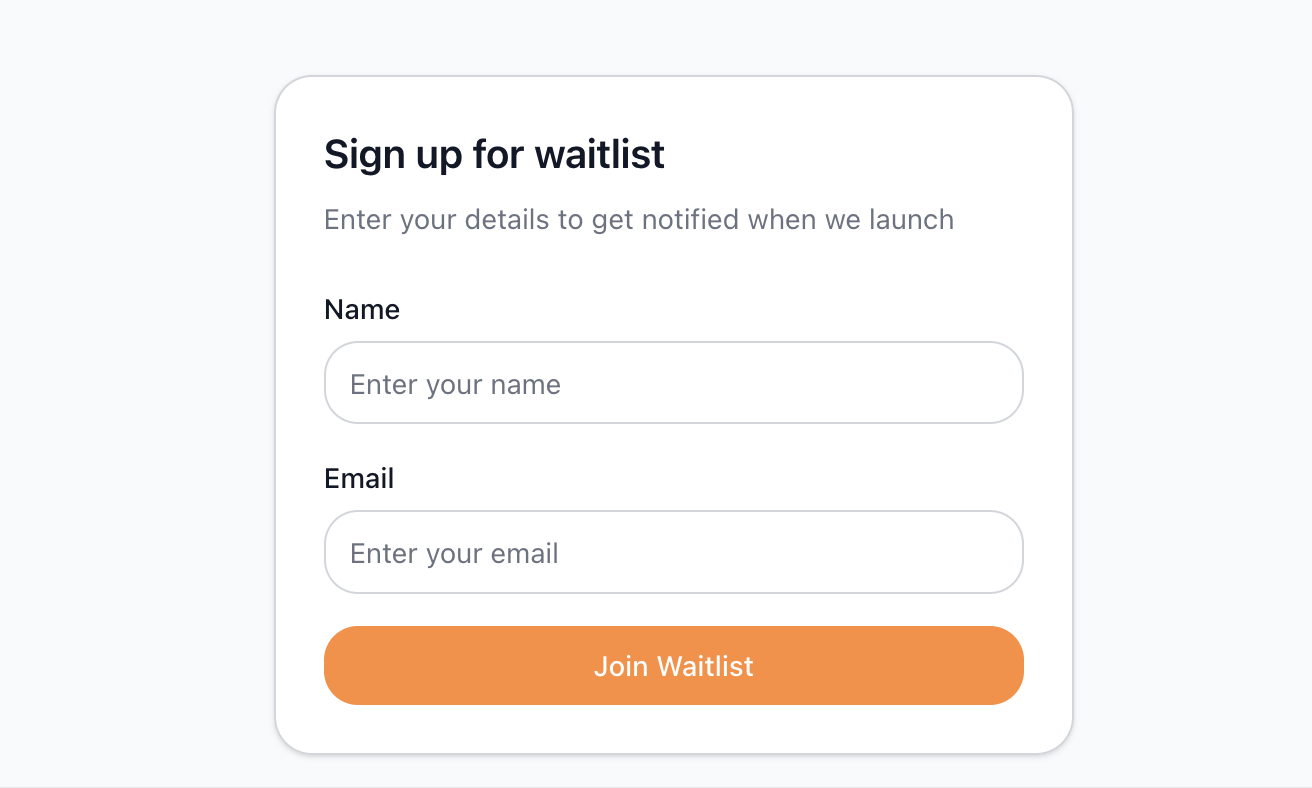
<script
  src='/widgets/custom-widget.js'
  data-waitlist-id='cmer75b9i0002px0141kahn2m'
></script>
Using FreeWaitlists + Replit/Lovable to Launch MVPs Without Touching the Backend
Launching an MVP doesn’t need to involve databases, backend APIs, auth systems, or email infrastructure. In fact, most early-stage builders waste weeks building things they don’t need yet — before knowing if anyone cares.
This guide shows you the highest-leverage workflow for validating ideas fast:
- Prototype UI → Replit or Lovable
- Add real signups → FreeWaitlists widget
- Track real demand → Dashboard analytics
- Build real MVP only after validation
This lets you test ideas in hours, not weeks — while capturing the email addresses of users who want what you’re making.
Why This Workflow Is So Effective
✅ You get a real frontend instantly
Replit and Lovable make it possible to build a full UI without waiting for backend work.
- Replit gives you instant hosting + browser coding.
https://replit.com - Lovable generates beautifully structured UI components and pages using natural language.
https://lovable.dev
You can ship a fully clickable (but mostly fake) interface in under an hour.
✅ You get REAL user demand, not “likes”
Likes and comments aren’t validation.
Emails in a waitlist are.
FreeWaitlists lets you capture signups with:
- No server
- No database
- No email provider
- No logic
✅ You build only what is validated
Your early signups will tell you:
- What they want
- What they expect
- What they’d pay for
- What you should build first
This eliminates 80% of waste.
Step 1: Prototype Your UI (Replit or Lovable)
A good MVP prototype doesn’t have to work — it has to look real.
This is enough to test demand.
Option A — Build with Replit
- Create a new HTML/CSS/JS project
- Build a simple fake interface
- Add buttons, fake pages, placeholders
- Publish with Replit’s built-in hosting
- Get a live URL instantly
Great for: developers who want full control (but fast).
Option B — Build with Lovable
- Describe the app you want
- Let Lovable generate multiple UI screens
- Ask for tweaks (“add hero section”, “make it minimal”, “add a pricing block”, etc.)
- Publish using Lovable’s built-in hosting
Great for: founders, designers, and idea testers who don’t want to code UI manually.
Step 2: Generate Your FreeWaitlists Widget (No Coding Required)
Inside FreeWaitlists, use the Widget Editor to customize:
- Email only OR Email + Name
- Colors (button, background, border, text)
- Placeholder text
- Button text
- Success messages
- Title and body text
The editor updates everything visually, and generates the full <script> tag for you.
Widget Editor Screenshot Placeholder
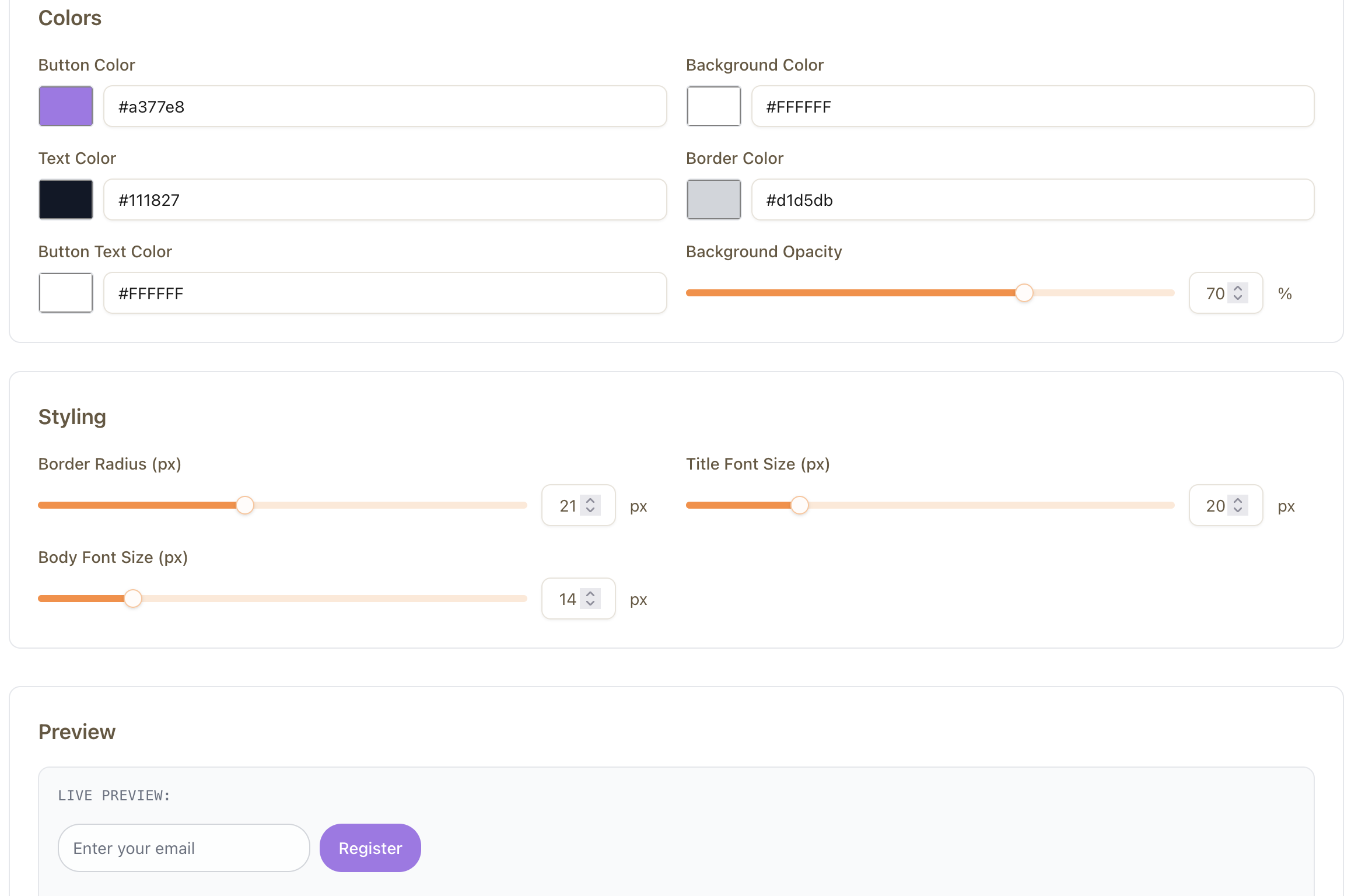
You simply copy it and paste it into your prototype.
Step 3: Embed the Widget Into Your UI
The script tag you generated looks something like:
Paste this anywhere in your HTML — usually near the end of your <body> or inside a component container.
The widget will automatically render:
- Input field(s)
- Button
- Validation
- Success message
- Styling
- Backend storage
You now have a working “backend” with no backend.
Step 4: Capture Signups & Analyze Demand
Once your prototype is live, send traffic to it:
- Twitter / X
- Reddit communities
- Indie Hackers
- Discord groups
- Personal audience
- TikTok short demos
- LinkedIn devlog posts
FreeWaitlists tracks:
- Total signups
- Daily signup growth
- Referral URLs
- Device sources
- Conversion metrics
- Top-performing traffic channels
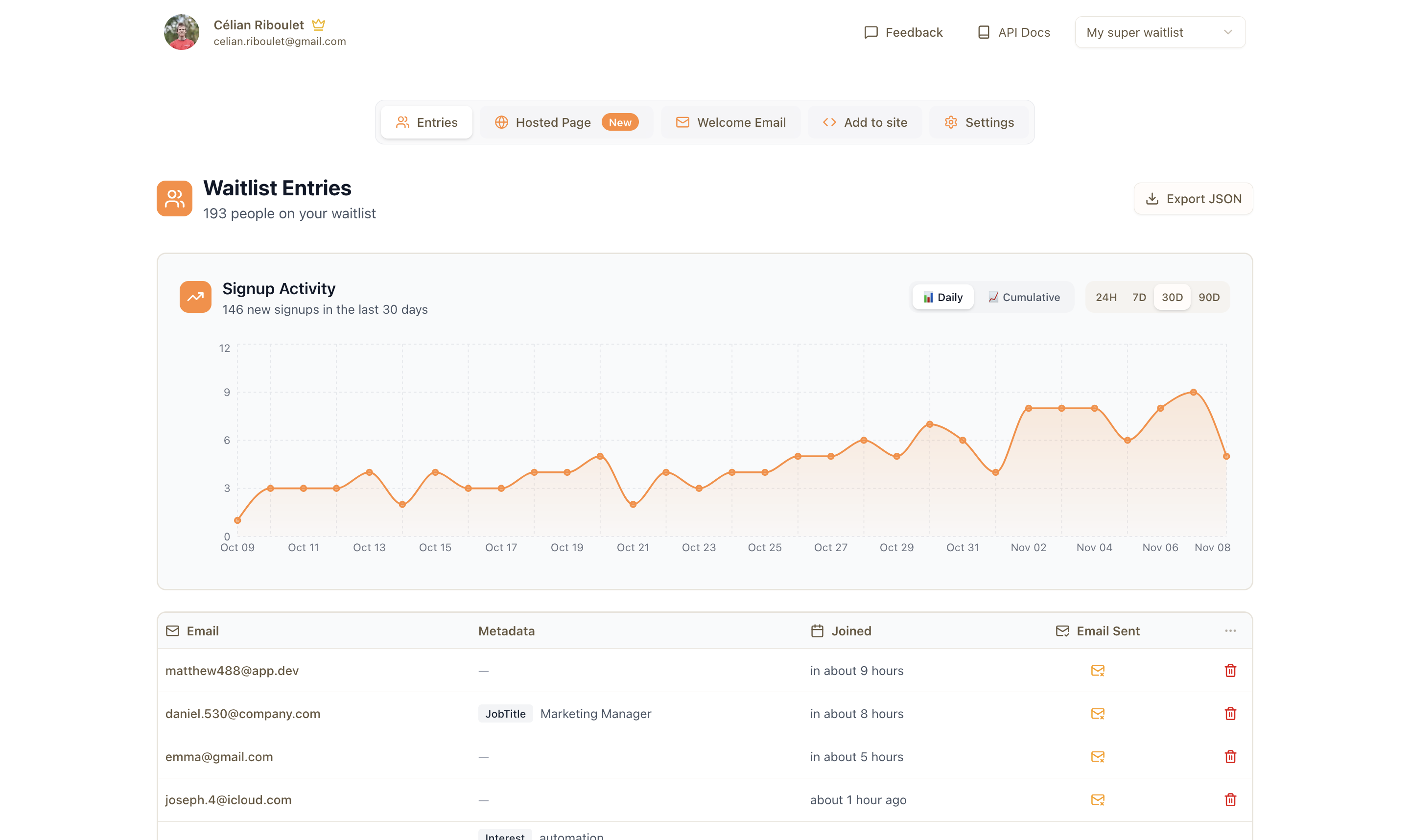
This gives you real signals about what to build next.
Step 5: Talk to Early Signups to Shape The MVP
Your MVP direction should come from people already waiting.
Ask your early signups:
- “What problem made you sign up?”
- “What features matter most?”
- “Have you tried solving this another way?”
- “Would you pay for a tool that solves this?”
- “Can we talk for 10 minutes?”
Feedback from your future users is the highest-value input for any build.
Example Prompts for Lovable & Replit
These prompts let you instantly integrate the FreeWaitlists widget into your prototype.
✅ Lovable Prompt (Copy/Paste)
Create a clean, modern landing page for a new SaaS idea.
Add a hero section with a headline, subheadline, and a CTA area.
At the bottom of the hero section, insert this FreeWaitlists snippet exactly as provided:
Make sure the design centers the widget and gives it proper spacing.
Use neutral colors, rounded corners, and a minimal layout.
Return the entire HTML file with the widget embedded and styled.
✅ Replit Prompt for the AI Assistant
I’m building a landing page MVP.
Please generate an index.html file with a hero section, headline, subheadline, and a placeholder for a waitlist form.
Into that placeholder, embed this exact script tag:
Make sure the widget container is centered, responsive, and has margin so it looks good on mobile and desktop.
Do not modify the script tag.
Example HTML Integration Snippet (For Manual Editing)
Build your MVP in hours
Sign up to get early access when we launch.
<div class="waitlist-container">
  <script
    src="/widgets/name-email-widget.js"
    data-waitlist-id="YOUR_WAITLIST_ID"
    defer
  ></script>
</div>
This is all that's needed to turn a static UI into a functional pre-launch funnel.
Example Launch Workflow (Ultra-Fast)
Morning: Build UI prototype with Lovable or Replit
Noon: Generate FreeWaitlists widget + embed it
Afternoon: Publish and share the link everywhere
Evening: Collect signups and study analytics
Next morning: Reach out for user feedback
Next week: Build the real MVP based on validated demand
This means you can test 3–5 ideas per month instead of 1–2 per year.
Final Thoughts
Most builders overcomplicate MVPs.
But real validation doesn’t come from features — it comes from users.
By combining:
- Lovable → UI in minutes
- Replit → instant hosting + editing
- FreeWaitlists → backend-free signup system
You can launch faster, learn faster, and avoid wasting months building the wrong thing.
Learn more about our Waitlist Tool:
Ready to create your waitlist?
Get started with FreeWaitlists in 30 seconds. No credit card required.